Our own engine, and it stays with you.
We recognize personal data with our own technology, on your computers and servers. Documents never go to the cloud, and anything uncertain is checked by a person.
This isn’t another chatbot
Cloud tools have their uses. Protecting personal data needs something else: a result you can check, in a place you control.
A typical cloud tool
Black box
- Where documents go
- To the vendor’s servers.
- Where the result comes from
- The model composes an answer meant to sound plausible.
- A national ID or account number
- The model judges whether something looks like a number.
- When it isn’t sure
- The answer sounds just as confident.
- Hardware
- The cloud or expensive graphics cards.
- Cost
- Often grows with the number of words processed.
Mycroft
Glass box
- Where documents go
- They stay inside your infrastructure.
- Where the result comes from
- We point to what is actually in the document, and to where we found it.
- A national ID or account number
- We verify its checksum.
- When it isn’t sure
- The result goes to a person.
- Hardware
- Ordinary computers and servers, no GPU required.
- Cost
- A license or a deployment quote, with no per-word charges.
How a result is reached
Four steps, every time on your own hardware.
Reading
We read the text from the document, including from a scan or a photo.
Recognition
We look for names, addresses, numbers and other data, combining the three methods described below.
Confidence scoring
Every finding gets its place in the document, a category and a rating of how confident we are about it.
Decision
Anything certain can be removed automatically. Anything uncertain goes to a person.
Three methods that complement each other
None of them is enough on its own, so they work together. That’s all we’ll say about the recipe.
Dictionaries from official sources
First names, surnames, addresses and companies from public registers, inflected forms included: in Polish, “kancelaria notarialna” and “kancelarii notarialnej” are the same name.
Number validation
A PESEL or an account number has a built-in validity check. We don’t guess whether a string of digits looks like a number: we calculate it.
Context
Is “Kos” a surname, or the Polish word for a blackbird? Our engine looks at the neighboring words, as an attentive reader does.
A person has the final say
No tool finds everything without error. That’s why we show what we found and how confident we are about it.
Before saving changes, you can see exactly what will be removed. On scans, the person checking sees the marked areas and can correct them.
The engine and the dictionaries are versioned, and the same document in the same version gives the same result. So you can trace where a result came from.
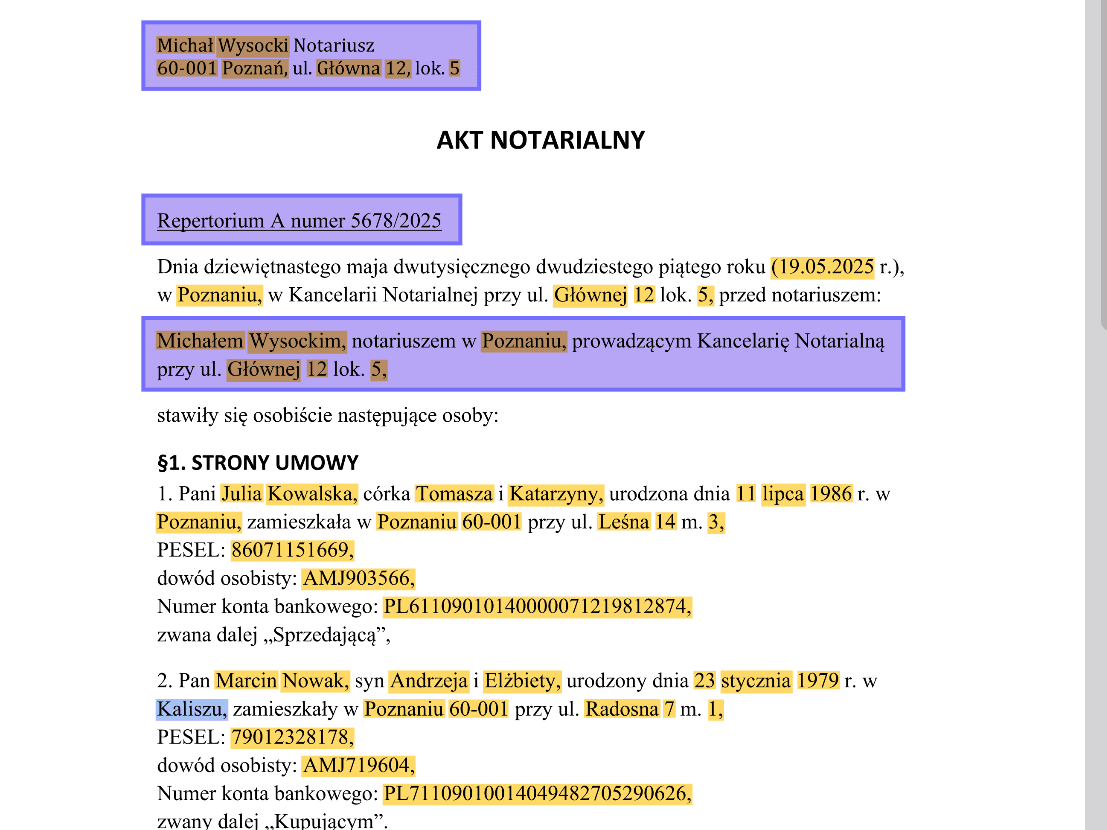
What we recognize
Deepest for the Polish language and Polish data. Each product’s page describes exactly what it recognizes.
Names and surnames
First name, surname, parent’s first name.
Addresses
Street, town, county, province, postcode.
Organizations
Names of companies and institutions, including inflected forms.
Identification numbers
PESEL, NIP, REGON, KRS, passport, driver’s license.
Financial data
IBAN, account number (NRB), payment card number.
Vehicles and real estate
VIN, registration number, land register number.
Contact details
Email address, phone number.
Other
Date of birth, sex, nationality, IP address.
What we read
Office documents
DOC, DOCX, XLS, XLSX, PPT, PPTX, ODT, ODS, ODP
Word, Excel, PowerPoint and OpenDocument.
Text and data
TXT, CSV, HTML, JSON, XML, RTF
PDF
PDF
Scanned ones too.
Images
JPG, PNG, TIF
With text recognition.
Archives
ZIP
Including their contents.
It runs where your data is
For security teams, IT and data protection officers: in short, what happens to your documents.
Where it runs
We analyze documents on the computer or server where they are. None of our products sends them to outside services.
Scans are read inside your environment too.
What leaves the machine
Document content and detected values never leave your infrastructure.
The license is a signed file on your computer, so the application doesn’t need to connect to our servers.
For your data protection officer
The applications don’t send us documents, and we don’t need your data to develop our technology. We only look at examples when you share them with us yourself, for example during configuration.
On request we provide an SBOM, a list of the software’s components. We discuss the details needed for a risk assessment with your data protection officer.