Anonymize whole document collections
Group documents into a project with shared rules. Sweeper PRO anonymizes them automatically and sends you only the ones that need review. Nothing goes to the cloud.

When is PRO the right choice?
You process whole collections
You add a whole collection to a project: contracts for an audit, scanned forms, material for publication. One queue can hold different formats.
Every process has its own rules
Separate projects, for example for HR documents and official publications, each with its own data categories and review rule.
You return to saved work
The analysis and your decisions are kept, so you don’t run the document through OCR again.
One project, two routes to a finished file
The project’s rules decide which files are saved on their own and which wait for your review. Both paths end in the same output folder.
From the queue to finished documents
View the queue
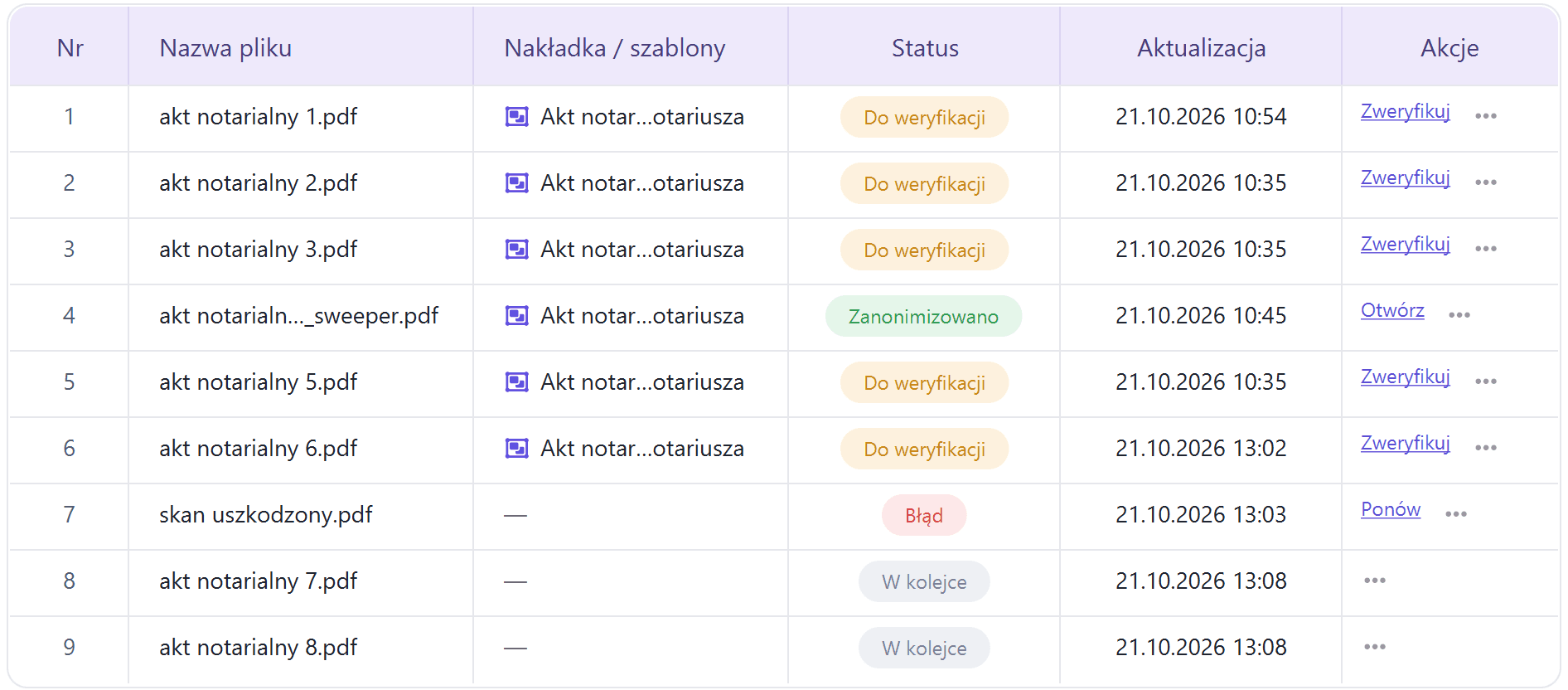
You set the categories and the review rule, add files, and see which are waiting, need review or are done.
Verify the findings
You review only the files flagged for review and add any missing passages.
Collect the result
You check the preview if you need to, and collect the finished files from the project folder.
Decide which files need a review
Every file
Every document waits for review and approval.
Uncertain findings only
You review the files with uncertain findings. The rest go through automatically.
Fully automatic run
The program saves the files itself, and uncertain findings stay visible.
Overlays and templates for recurring documents
Overlay: a fixed position
You draw a rectangle over a field once, and the program covers that area in every following file with the same layout, even when OCR can’t read the handwriting.
Template: a field recognized on the page
When a field can move, a template helps find it in its new place. You fit templates in the project’s configuration, and we can help with the first one.
How much does it cost?
The price depends on the number of seats and on who is buying: a company or a public institution. The more seats, the lower the price of each.
- Estimated total a year, net
- PLN 6,000.00
- Per seat a year, net
- PLN 6,000.00
Standard or PRO?
Both editions anonymize documents locally, with the same engine. They differ in how you work.
Mycroft Sweeper Standard
One document, on your computer
- One open document
- Categories chosen per document
- You review every document
- You redact areas by hand
This page
Mycroft Sweeper PRO
Whole document collections, by rules
- A project with a file queue
- Saved project rules
- You review everything, only uncertain findings, or nothing
- Overlays and templates
Downloads
Documents
Frequently asked questions
Do documents leave the organization?
No. Processing happens locally, and working data stays inside the organization’s environment.
Standard or PRO?
Standard speeds up anonymizing documents one at a time. PRO is for bulk work: it automatically anonymizes large collections of documents, grouped into projects with shared rules.
What data does PRO detect?
You choose the categories in the project, among them addresses, PESEL numbers, parents’ names, dates of birth and land register numbers.
Which files can I open, and in what format is the result saved?
The full license covers every format:
- PDF: output as PDF
- JPG/JPEG, PNG, TIF/TIFF: output as PDF
- DOCX: output as DOCX, with its formatting kept
- XLSX: output as XLSX
- TXT and CSV: output in the same format
The DEMO version adds a watermark to PDFs and opens editable documents read-only.
How do I control how a project runs?
File statuses make it easy to find the documents to review. The project log helps you retrace actions such as approving the configuration or editing a file again.
Can I go back to a saved document?
Yes, as long as its encrypted working copy exists. You can then correct your decisions and save the result again.
Can PRO handle our forms?
Yes. Template fitting is a PRO feature, part of the project’s configuration: the program recognizes the type of page and finds the fields you pointed out. We can help with the configuration.
Can removed data be recovered from the output copy?
No. Anonymization is permanent: the marked data is removed from the saved copy, not covered by a layer that could be lifted off. The original stays a separate file.
What are the hardware requirements?
Windows 10 or 11, a processor with at least 4 cores and 8 GB of RAM, 16 GB recommended. No graphics card (GPU) or server needed. Standard and PRO have the same requirements.
How many computers does a license cover?
A license runs on one computer at a time. It isn’t a network license.
How do I buy a license?
Request a quote with the number of workstations. We prepare a quote, and once you order we issue an invoice. Public institutions buy the same way, through a request for quotation: a quote, an order and an invoice with a payment term.
Do public institutions get different prices?
Yes, lower: PLN 3,000 net per workstation per year. Choose “Public institution” in the calculator to see the price for your number of workstations.
Does Sweeper work offline?
Yes. The license is a signed file on your computer, so Sweeper doesn’t connect to our servers. You download new versions from the product page.
Next step
See what Mycroft Sweeper PRO can do for your organization.
Order at the calculator's price. We check your order and send you a pro forma invoice.